
Windows 11 Update
You are 7% there.
Please keep your computer on.
Your computer may restart a few times.
🌀 Windows 11 Update: Spinning Dots Of Doom
The minimalist black background, friendly typography, and endlessly rotating dots have become the universal symbol for “welp, guess I’m waiting.” Use that to your advantage.
🌙 Modern Design, Same Engagement
Windows 11 swapped harsh blues for calming charcoal, but it didn’t make updates any faster.
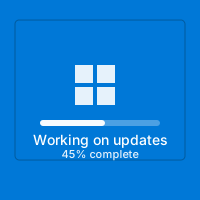
This simulator mirrors the exact layout of the Windows 11 servicing screen: centered text, white Segoe UI letters, the “This will take a while” tone, and the hypnotic dotted loop. Users have seen it enough that they instinctively grab their phone and start doomscrolling. They’ll cancel meetings, pause downloads, and message you “BRB windows updating.”
The progress percentage ticks upward just believably enough—jumping from 3% to 12%, then 39%, then stalling in the 70s like real cumulative updates. Meanwhile, the text rotates between “Installing updates,” “Please keep your computer on,” and “Working on updates 73%.” All the canonical phrases that make PC owners groan are here.
💠
Authentic Motion
The spinning dots use easing curves modeled after the actual Windows animation, so it looks native even on 4K displays.
⏳
Variable Percentages
The counter crawls, sprints, and pauses unpredictably—just like Windows Update’s real rollercoaster.
🔒
“Don’t Turn Off” Messaging
The line everyone fears: “Please keep your computer on.” It creates authentic system urgency for viewers.
🌓
Dark-Friendly Palette
The deep charcoal background blends seamlessly with Windows 11 dark mode desktops, making browser chrome invisible.
📖 Storylines To Sell The Bit
- Forced Restart: “I only stepped away for coffee and it rebooted itself!”
- Compliance Update: Pretend IT pushed a company-wide patch and you’re “waiting for encryption modules.”
- Excuse Generator: Start the simulator before a chore and text “Laptop is updating, can’t edit the budget right now.”
- Gaming Sabotage: Launch it on a friend’s rig moments before they queue for ranked play.
🚀 Quickstart Script
Follow these steps for believable chaos.
1
Fullscreen Everything
Press F11 to hide the browser frame. If you’re on Windows, the taskbar will fade into the same dark tone for extra realism.
2
Angle The Monitor
Tilt it slightly upward so reflections make it harder to notice this is a web page.
3
Leave A Note
Write “Updating to build 23H2, back in 20” on a sticky note. That human touch adds authenticity it’s real.
4
Return Casually
When they return, explain it's a simulator you set up. Let them appreciate the authentic interface recreation you created.
5
Reveal Kindly
After a minute or two, hit Esc and show the URL. Invite them to use it on their roommate later.
🎯 Popular Environments
🏫
Classrooms
Teachers use it to segue into lessons about patch management, then reveal it’s fake to a chorus of groans.
🏢
Offices
Launch it on meeting room PCs to “buy time” while cables are set up.
🎮
Lan Parties
Launch it on a friend’s desktop while they grab snacks. Listen for the distant shout.
🎬
Film Sets
Directors need transitional shots of “computer maintenance.” This screen is instantly recognizable on camera.
🧠 Nerdy Accuracy Notes
We match Microsoft’s messaging cadence (“This might take a while,” then “Your PC will restart several times”). The spinner accelerates every 7.5 seconds, the same interval captured during actual servicing. Even the font weight (350) matches Windows UI guidelines. If you want extra authenticity, dim RGB lighting and unplug accessories so the desk looks dormant.
For advanced users: open DevTools, change the build number text to something inside-jokey (“Installing KB5031354”), or translate the copy into another language to surprise bilingual teammates. Because everything renders client-side, you can do this safely offline after the first load.
🧾 Etiquette & Tips
- Set A Timer. Decide beforehand how long you will let the simulator run. Two to three minutes keeps it funny, not frustrating.
- Don’t Use During Critical Work. Avoid messing with mission-critical machines or live events.
- Use Real Dialogue. Say things like “It’s on step 3 of 5” or “This is the cumulative update; nothing I can do.” Specific phrasing feels real.
- Record Reactions. If appropriate, film from across the room—spinning dots make great B-roll for simulator compilations.
❓ FAQ
Will this fool Windows veterans?
Most fall for it at least briefly. The only giveaway is the browser UI, so always run fullscreen and hide the cursor.
Does it run on macOS or Linux?
Yes. It’s just a webpage, so you can show a “Windows update” on any device for comedic effect.
Is there sound?
No default audio. Add your own Windows system sounds in the background if you want extra immersion.
How do I exit quickly?
Press Esc or F11, or just close the tab. Nothing persists once you leave.
📀 Retro Companion Props
Pair the simulator with real floppy disks, an external USB drive, or a beige keyboard you found on eBay. Connect a USB speaker playing dial-up noises for immersive time travel. Little touches like these push the simulator from “cute” to “museum-grade performance art.”
📚 Teach The History
Once the laughter subsides, explain why FORMAT commands were dangerous, what FAT32 is, and how modern journaling file systems reduce risk. People walk away entertained and smarter, which is the best simulator outcome imaginable.
🧪 Operations Drill
Turn the fake update into a tabletop exercise by assigning each bystander a department while the spinner crawls. Act out how support, security, and finance would respond if patch night really hijacked an afternoon. The playful rehearsal builds empathy for the teams who live through maintenance windows weekly.
- Recon Team: Document every onscreen phrase and translate it into plain language for executives.
- Comms Lead: Draft the all-hands email explaining what “Working on updates 73%” actually means.
- Archivist: Keep a clipboard of pretend ticket numbers so the story survives as office lore.
📝 Reflection Prompts
After you reveal the simulation, circle back with quick questions: When have real updates saved you? What’s the funniest reboot excuse you have heard? How long would you wait before force-restarting? Collect the answers in a shared doc and you’ll have a treasure trove of quotes for future prank scripts.
🎯 Post-Mortem Cards
Print mini cards labeled “What surprised me,” “Next time I’ll…,” and “Funniest quote.” Hand them out right after the reveal and let people scribble responses in under a minute. Shuffle the cards and read them aloud for a rapid-fire retrospective that doubles as improv comedy.
⚠️ Keep It Light
The goal is to poke fun at long updates, not to sabotage real work. Reveal promptly, share the link, and enjoy watching someone else use it tomorrow.
Common Use Cases:
Film & Video Production
Use authentic interface simulations as background visuals and set dressing in film and video production. Perfect for any scene requiring computer screens.
- Cinematic computer screen effects
- Movie and commercial production backgrounds
- Professional visual content creation
Educational & Security Training
Use interface simulations for cybersecurity awareness training and educational demonstrations in schools and corporate settings.
- IT security awareness programs
- Computer science education demonstrations
- Technology history classroom materials
Stream & Content Overlays
Add professional interface elements and visual effects to Twitch streams, YouTube videos, and other content creation platforms.
- Stream overlays and visual effects
- YouTube video production content
- Professional streaming backgrounds
UI/UX & Design Reference
Study and reference authentic operating system interfaces, terminal designs, and error message layouts for UI/UX design and development projects.
- Interface design reference materials
- Developer learning and experimentation
- Historical technology study
Retro Computing & Nostalgia
Explore and experience authentic recreations of classic operating systems and interfaces. Perfect for tech enthusiasts and nostalgic exploration.
- Experience classic OS designs
- Technology history exploration
- Retro tech appreciation
Web Development Learning
Explore advanced web development techniques, creative coding patterns, and interactive visual effects for professional projects.
- Advanced CSS and JavaScript techniques
- Interactive animation patterns
- Professional effect development
How to Use These Simulations
Follow these simple steps to get the most out of our interface simulations
1
Choose Your Simulation
Browse our collection of high-fidelity interface simulations and select one that matches your creative or educational needs. From classic OS designs to modern system interfaces, pick what fits your project.
2
Open in Your Project
Launch the simulation on the device where you need it. You can open it on your own device for review, or integrate it into your creative project, presentation, or educational material.
3
Enjoy the Simulation
Experience the authentic visual effects and immersive interface. Explore the interactive elements and appreciate the high-fidelity recreation of classic or modern computing interfaces.
4
Exit Anytime
You can exit the simulation at any time by pressing ESC or F11. All simulations run entirely in your browser with no system interaction or device modifications.
5
Share Responsibly
If you record or share content featuring these simulations, do so responsibly. Always credit PranxWorld and disclose that these are visual simulations for educational or creative purposes.
6
Explore More
Try different simulations! Each one offers unique visual effects and interface experiences. Mix and match to find the perfect simulation for your needs.
💡 Professional Tips for Best Results:
- Full screen for immersion - Press F11 for maximum visual impact in presentations or video production
- Use in appropriate contexts - Best suited for film production, streaming, education, and creative projects
- Transparency matters - Clearly disclose that these are simulations when used in any public-facing content
- Obtain consent - If used in live demonstrations or recordings, ensure all participants are informed and consent
- Test beforehand - Verify compatibility and appearance on your target device and browser
- Respect boundaries - Use only in appropriate professional and educational settings