
Matrix Rain
🌧️ Matrix Rain Generator
Fill your room with cascading neon glyphs—ambient art, hacker ambiance, meditation tool, and nostalgia machine all in one.
💚 Designed For Hypnosis
Every column varies in speed, brightness, and character mix to replicate cinematic “digital rain.”
The animation engine renders hundreds of columns with layered blur, giving depth like stacked monitors. Characters shuffle between katakana, numerals, and Latin glyphs while leading characters glow brighter than their tails, just like the films. Tweak font size, spawn speed, and color palettes from classic green to neon magenta or icy blue.
🎚️
Live Controls
Adjust density, fall speed, font size, and trail length with sliders. Changes apply instantly.
🎨
Color Themes
Switch from OG emerald to vaporwave purples, fire orange, or grayscale for noir films.
🧘
Ambient Mode
Enable slow-fall mode for focus sessions or meditation; the code becomes a tranquil waterfall.
🎥
Studio Ready
4K-optimized canvas ensures crisp footage for background plates or projection mapping.
🎯 Use Cases
🎬
Video Backdrops
YouTubers and Twitch streamers loop it on secondary monitors to spark chat questions.
🛋️
Living Room Art
Project onto walls during parties or movie marathons for instant cyberpunk mood lighting.
📚
Study Sessions
The steady motion acts like visual white noise, helping some people enter flow state.
🧑🏫
Class Demonstrations
Teachers open the rain before explaining cryptography or explaining how movies depict hacking.
🚀 Quick Setup Guide
1
Pick Resolution
Set the canvas to match your monitor or projector for edge-to-edge coverage.
2
Tune Density
High density feels intense, low density delivers airy minimalism.
3
Lock Colors
Choose a palette that matches your room lights or brand identity.
4
Fullscreen
Hide controls and let the rain occupy the entire display. Instant immersion.
5
Add Audio
Pair with ambient synths or lo-fi beats for a complete sensory experience.
🧠 Symbolism & Lore
Matrix rain represents seeing the machinery behind reality. Fans recognize it instantly, and newcomers just think it looks cool. By projecting it, you’re tapping into two decades of cyberpunk storytelling.
🧾 Enhancement Tips
- Layer With Smoke Machines: Light fog catches the green light beautifully.
- Use Dual Monitors: Run rain on one screen, a hacker typer on the other for a control-room vibe.
- Trigger Color Shifts: Map color presets to hotkeys so you can pulse the hue during DJ sets.
- Record Loops: Screen-capture the animation to create seamless background plates for editing later.
❓ FAQ
Can I export the animation?
Use screen recording software; we built the motion to loop perfectly without visible seams.
Does it work on phones?
Yes. Mobile browsers render the rain smoothly—ideal for impromptu mood lighting.
Will it slow my computer?
It’s GPU-accelerated. Even midrange laptops handle it, though lowering density helps on older hardware.
Can I change characters?
Open DevTools and edit the glyph array. Add emojis, alien runes, or stylized logos.
📓 Narrative Prompts
Use mission cards to improvise:
- “Ghost Trace”: Someone infiltrated your network; chase their IP on the map and lock folders in the file explorer.
- “Data Drop”: Drag fake files into “Secure Vault” while narrating a heist.
- “Emergency Broadcast”: Trigger the alert window and read a dramatic message to your stream.
🧑💻 Collaboration Mode
Pair with friends: one person types commands, another manipulates the map, a third handles comms on a headset. The multi-operator chaos feels like a movie set and makes the prank more immersive than solo play.
🎧 Soundtrack Recipes
Match the visuals with curated audio stacks: layer distant thunder, analog modem chirps, and low drum booms to turn the rain into a full sensory ritual. Streamers often keep a playlist titled “Nebuchadnezzar Bridge” on loop to stay in character for hours.
- Zen Deck: Soft pads + bamboo chimes; great for late-night focus.
- Cyber Heist: Pulsing synth bass + occasional sirens to signal narrative peaks.
- Arcade Nostalgia: 8-bit arpeggios layered under the rain for retro energy.
🌐 Community Challenges
Host “rain jams” where friends submit photos of their setups. Award badges for best lighting, wildest color palette, or most dramatic cosplay. Sharing screenshots keeps the effect alive long after the actual prank.
🛠️ Technologist Notebook
For engineering-minded friends, pop open DevTools together and explore how the canvas works. Tweak spawn matrices, experiment with additive blending, or rewrite the glyph array live. Treat it like a collaborative coding jam where art students and programmers riff in real time.
Document your tweaks in a shared pad: note which frame rates look buttery on different GPUs, which hex colors pair best with fog machines, and which browser flags enable experimental color spaces. Your notes become a living field guide for future projections.
✍️ Writing Prompts
Challenge friends to narrate short monologues inspired by the rain. Maybe they’re an operator reading code-weather reports, maybe they’re a historian describing how humanity first saw the Matrix, or maybe they’re an AI trying to interpret dreams in glyph form. Each story reframes the animation and adds replay value.
🧱 DIY Light Wall
Mount frosted acrylic panels in front of a projector and let the rain spill across them. The diffusion makes the glyphs look like volumetric mist. Add reflective tape or chrome balloons to scatter the glow around the room; suddenly your prank doubles as sci-fi set dressing.
🛍️ Merch Experiments
Use screenshots of your favorite rain configurations to design stickers, phone wallpapers, or T-shirt transfers. Share the assets with friends so the simulation becomes part of everyday accessories.
📅 Workshop Agenda
- Discuss the cultural roots of Matrix glyphs.
- Let participants tweak slider presets and present their color theories.
- Break into teams to storyboard a short cyber scene using the rain as backdrop.
- Record each team’s performance.
- Share clips plus the preset values so everyone can recreate the look.
🧠 Philosophy Circle
Host a roundtable where each person interprets what the code “means.” Is it data rain, cosmic DNA, or society’s hidden APIs? The conversation keeps the animation on screen for far longer than a typical prank.
🧭 Movement Workshop
Project the rain on a wall and invite friends to choreograph slow-motion gestures that trace the falling glyphs. Record silhouettes dancing through the code, then layer the footage over ambient soundscapes. Combining light movement with the animation transforms a seated prank into an interactive art jam.
💚 Share The Vibes
Matrix rain is communal art. Stream it, project it, invite friends to bask in it, and remember to link them here so they can build their own digital sanctuaries.
Common Use Cases:
Film & Video Production
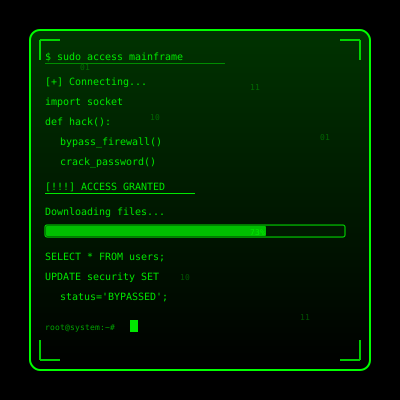
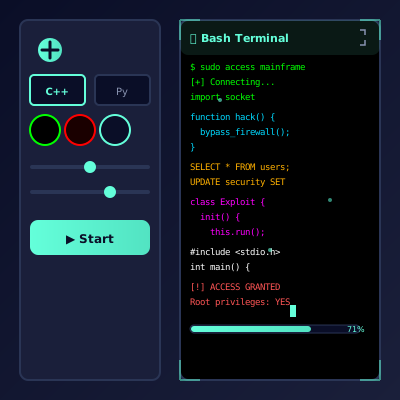
Use authentic interface simulations as background visuals and set dressing in film and video production. Perfect for any scene requiring computer screens.
- Cinematic computer screen effects
- Movie and commercial production backgrounds
- Professional visual content creation
Educational & Security Training
Use interface simulations for cybersecurity awareness training and educational demonstrations in schools and corporate settings.
- IT security awareness programs
- Computer science education demonstrations
- Technology history classroom materials
Stream & Content Overlays
Add professional interface elements and visual effects to Twitch streams, YouTube videos, and other content creation platforms.
- Stream overlays and visual effects
- YouTube video production content
- Professional streaming backgrounds
UI/UX & Design Reference
Study and reference authentic operating system interfaces, terminal designs, and error message layouts for UI/UX design and development projects.
- Interface design reference materials
- Developer learning and experimentation
- Historical technology study
Retro Computing & Nostalgia
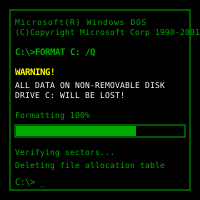
Explore and experience authentic recreations of classic operating systems and interfaces. Perfect for tech enthusiasts and nostalgic exploration.
- Experience classic OS designs
- Technology history exploration
- Retro tech appreciation
Web Development Learning
Explore advanced web development techniques, creative coding patterns, and interactive visual effects for professional projects.
- Advanced CSS and JavaScript techniques
- Interactive animation patterns
- Professional effect development
How to Use These Simulations
Follow these simple steps to get the most out of our interface simulations
1
Choose Your Simulation
Browse our collection of high-fidelity interface simulations and select one that matches your creative or educational needs. From classic OS designs to modern system interfaces, pick what fits your project.
2
Open in Your Project
Launch the simulation on the device where you need it. You can open it on your own device for review, or integrate it into your creative project, presentation, or educational material.
3
Enjoy the Simulation
Experience the authentic visual effects and immersive interface. Explore the interactive elements and appreciate the high-fidelity recreation of classic or modern computing interfaces.
4
Exit Anytime
You can exit the simulation at any time by pressing ESC or F11. All simulations run entirely in your browser with no system interaction or device modifications.
5
Share Responsibly
If you record or share content featuring these simulations, do so responsibly. Always credit PranxWorld and disclose that these are visual simulations for educational or creative purposes.
6
Explore More
Try different simulations! Each one offers unique visual effects and interface experiences. Mix and match to find the perfect simulation for your needs.
💡 Professional Tips for Best Results:
- Full screen for immersion - Press F11 for maximum visual impact in presentations or video production
- Use in appropriate contexts - Best suited for film production, streaming, education, and creative projects
- Transparency matters - Clearly disclose that these are simulations when used in any public-facing content
- Obtain consent - If used in live demonstrations or recordings, ensure all participants are informed and consent
- Test beforehand - Verify compatibility and appearance on your target device and browser
- Respect boundaries - Use only in appropriate professional and educational settings