
Developer Terminal
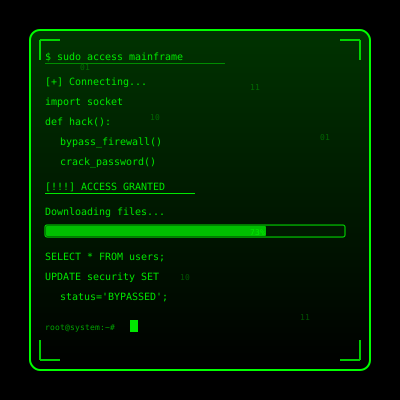
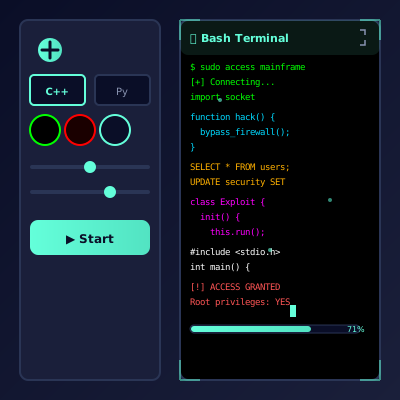
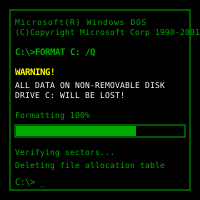
🖥️ Hacker Typer Simulator: Full Cyber Ops Desktop
Spin up an entire control center in your browser—floating windows, fake telemetry, blinking warnings, and a terminal that reacts like a movie prop.
🏗️ Built Like A Fictional Operating System
Think “Hollywood cyber deck” more than single-terminal simulator.
Launch the simulator and you are greeted by a retro-futuristic desktop. Icons slide into place, widgets animate, and you can drag windows across multiple layers. The UI borrows cues from Linux workstations, sci-fi control rooms, and classic RTS games. Each module—Password Cracker, Satellite Uplink, Bitcoin Miner, Network Tracer—has its own micro-animations and faux data. Stack them and it feels as if you are balancing half a dozen covert operations at once.
This environment was designed to withstand scrutiny during close-up shots. Buttons depress with micro shadows, charts redraw with easing curves, and even the desktop clock ticks in sync with real time. That attention to detail is why creators and escape-room designers keep reusing it: every screenshot looks intentional, not like a hastily coded gag.
🪟
Window Manager
Drag, resize, minimize, and layer apps just like an actual OS. Builds instant credibility.
🌐
World Map
Animated arcs connect cities as if data packets are bouncing off satellites.
🧮
Command Console
Type commands like scan, deploy, or trace and watch context-aware responses populate.
🚨
Event Triggers
Fire nuclear launch warnings, purge animations, or self-destruct alerts when you want to climax the scene.
🧭 Suggested Flow For Maximum Drama
Borrow this six-beat script or riff on it to build your own storyline.
1
Boot The Desktop
Open in fullscreen so the dock, wallpaper, and animations fill the display. Mention that you are “spinning up the secure workspace.”
2
Launch Multiple Apps
Open the Password Cracker, Network Tracer, and Satellite Uplink simultaneously. The overlapping windows make casual observers think dozens of tasks are running.
3
Type In The Console
Enter plausible commands—trace -node tokyo, deploy payload, override firewall. The console autocompletes results with progress bars and timestamps.
4
Reference The Map
Point to the blinking nodes and narrate how “traffic is bouncing through Nairobi to avoid detection.” The visuals give your commentary weight.
5
Trigger The Finale
Fire the Nuclear Launch or System Purge animation. The entire UI switches to red alert mode, sirens flash, and people lose their minds.
6
Debrief With A Laugh
Explain it was a simulator, show them the hotkeys, and share the link. The reveal diffuses tension and inspires copycat pranks.
🧩 Module Breakdown
Each window tells a specific story beat.
- Password Cracker: Rolling counters, hash lists, and fake success notifications. Perfect when you want to say “we’re almost in.”
- Network Tracer: Animations of traceroute hops plus latency readouts that fluctuate like real diagnostics.
- Satellite Uplink: Rotating Earth view with crosshairs and signal strength bars. Ideal for espionage roleplay.
- Bitcoin Miner: Bars zoom upward as “hash power” accelerates, giving you a financial subplot.
- Threat Monitor: Colored status tiles flip from Safe to Critical, letting you dramatize incoming attacks.
Mix and match modules to fit your narrative. For example, an escape room might spotlight the Network Tracer while keeping the Bitcoin Miner minimized so players focus on the clue that matters.
🎬 Production-Ready Visuals
This simulator was storyboarded like a movie prop. Every transition is loop-safe, meaning you can screen-record a single minute and reuse it for hours. The typography is legible up close, the color palette avoids banding under color grading, and the UI sounds (if you enable them) sit comfortably under dialogue.
Filmmakers often run the app on a laptop, capture the footage, then composite it into a monitor during post-production. Because the interface never shows browser chrome, you rarely need extra work to sell the shot. Streamers drop it into OBS as a browser source and resize it like any widget. Educators mirror it to projectors during cybersecurity talks so students can “feel” the tension before diving into real command lines.
🎯 Use Cases From The Community
Real stories sourced from emails and tagged posts.
🔐
Cyber Trainings
Security teams open the simulator before a workshop to explain what Hollywood gets wrong—and what real tools look like.
🧩
Escape Rooms
Gamemasters hide passwords within the fake OS, making players “hack” their way to the next clue.
📹
Indie Films
Directors shoot over-the-shoulder scenes with the simulator to save on motion graphics budgets.
🧑🏫
Classroom Demonstrations
Teachers show the UI, then transition into real terminals, highlighting differences between dramatized and actual workflows.
🧾 Tips For Selling The Illusion
- Give Yourself A Callsign. Introduce the desktop as “Atlas Node” or “Black Ice Terminal” to sound like you belong there.
- Use Real Terminology Sparingly. Sprinkle phrases like “latency spike,” “payload queue,” or “rotating credentials” so techies nod along.
- Pause Deliberately. Stare at the map for a moment before typing again. Dead air builds suspense.
- Coordinate Props. Headphones around your neck, a notebook with red strings, or a flashing USB stick completes the cosplay.
❓ FAQ
Is this a real operating system?
No. It’s entirely web-based and sandboxed in your browser. Nothing installs and no files are touched.
Can I script new windows?
Advanced users can. Because the app runs client-side, you can inject custom CSS or HTML snippets for private performances.
Does it work offline?
Load it once while online, then keep the tab open. Most animations continue without connectivity.
Is it safe for corporate laptops?
Yes. It simply renders visuals. There are no network calls beyond the initial load.
📖 Historical Easter Eggs
Switch the skin to “retro” and the UI swaps to amber text, limited menus, and clunky key prompts reminiscent of 486-era AMIBIOS chips. Teach your friends how early PCs required manual IRQ assignments, and watch their appreciation for plug-and-play skyrocket.
Another mode imitates sleek modern UEFI dashboards with mouse support and drop-down lists. Use it to compare old vs new firmware paradigms in the same session.
📚 Classroom Exercises
- Treasure Hunt: Give students a checklist (“Enable virtualization, change boot order, set admin password”) and time them as they navigate the fake BIOS.
- Spot The Myth: Insert silly options like “Turbo Unicorn Mode” alongside real settings to test who’s paying attention.
- Disaster Drill: Pretend someone disabled Secure Boot and have the class “recover” by restoring defaults.
⚠️ Entertainment Purposes Only
Hacker Typer Simulator celebrates the theatrical side of cybersecurity. Use it to spark curiosity, inspire storytelling, and remind everyone that real hacking requires permission and ethics.
Common Use Cases:
Film & Video Production
Use authentic interface simulations as background visuals and set dressing in film and video production. Perfect for any scene requiring computer screens.
- Cinematic computer screen effects
- Movie and commercial production backgrounds
- Professional visual content creation
Educational & Security Training
Use interface simulations for cybersecurity awareness training and educational demonstrations in schools and corporate settings.
- IT security awareness programs
- Computer science education demonstrations
- Technology history classroom materials
Stream & Content Overlays
Add professional interface elements and visual effects to Twitch streams, YouTube videos, and other content creation platforms.
- Stream overlays and visual effects
- YouTube video production content
- Professional streaming backgrounds
UI/UX & Design Reference
Study and reference authentic operating system interfaces, terminal designs, and error message layouts for UI/UX design and development projects.
- Interface design reference materials
- Developer learning and experimentation
- Historical technology study
Retro Computing & Nostalgia
Explore and experience authentic recreations of classic operating systems and interfaces. Perfect for tech enthusiasts and nostalgic exploration.
- Experience classic OS designs
- Technology history exploration
- Retro tech appreciation
Web Development Learning
Explore advanced web development techniques, creative coding patterns, and interactive visual effects for professional projects.
- Advanced CSS and JavaScript techniques
- Interactive animation patterns
- Professional effect development
How to Use These Simulations
Follow these simple steps to get the most out of our interface simulations
1
Choose Your Simulation
Browse our collection of high-fidelity interface simulations and select one that matches your creative or educational needs. From classic OS designs to modern system interfaces, pick what fits your project.
2
Open in Your Project
Launch the simulation on the device where you need it. You can open it on your own device for review, or integrate it into your creative project, presentation, or educational material.
3
Enjoy the Simulation
Experience the authentic visual effects and immersive interface. Explore the interactive elements and appreciate the high-fidelity recreation of classic or modern computing interfaces.
4
Exit Anytime
You can exit the simulation at any time by pressing ESC or F11. All simulations run entirely in your browser with no system interaction or device modifications.
5
Share Responsibly
If you record or share content featuring these simulations, do so responsibly. Always credit PranxWorld and disclose that these are visual simulations for educational or creative purposes.
6
Explore More
Try different simulations! Each one offers unique visual effects and interface experiences. Mix and match to find the perfect simulation for your needs.
💡 Professional Tips for Best Results:
- Full screen for immersion - Press F11 for maximum visual impact in presentations or video production
- Use in appropriate contexts - Best suited for film production, streaming, education, and creative projects
- Transparency matters - Clearly disclose that these are simulations when used in any public-facing content
- Obtain consent - If used in live demonstrations or recordings, ensure all participants are informed and consent
- Test beforehand - Verify compatibility and appearance on your target device and browser
- Respect boundaries - Use only in appropriate professional and educational settings