
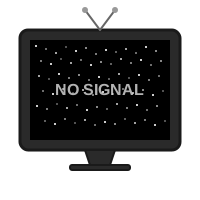
No Signal TV Screen
NO SIGNAL
📡 No Signal Test Pattern Simulator
Blast any screen back to the broadcast era with vivid SMPTE color bars, glitchy scanlines, and bold “NO SIGNAL” overlays.
🎨 Studio-Grade Recreation
The color stripes, PLUGE bars, and alignment grids match genuine test cards.
The pattern includes luminance stripes, audio reference tone indicators, and rotating labels. Scanlines gently drift, while a faint CRT curvature gives the image depth. Toggle between multiple standards: SMPTE, EBU, Philips PM5544, or custom corporate palettes.
🎚️
Mode Switcher
Swap between color bars, grayscale ramps, and geometry grids.
🔊
Reference Tone
Enable a steady 1 kHz sine wave—instant broadcast authenticity.
📺
CRT Filters
Add phosphor glow, noise, and horizontal jitter with a single toggle.
📝
Custom Text
Replace “NO SIGNAL” with “Please Stand By,” “Broadcast Paused,” or inside jokes.
🎯 Where It Shines
🎉
Parties
Display it on projectors before a DJ set; everyone thinks the venue’s AV team is prepping.
🎬
Film Shoots
Use it for establishing shots or to cover real monitors during downtime.
📺
Living Rooms
Turn on the test pattern when roommates monopolize the TV.
🧑🏫
Media Classes
Teach broadcasting history with an accurate interactive reference.
🚀 Step-By-Step Prank
1
Open Fullscreen
Enable F11 to hide browser UI and mimic a native HDMI signal.
2
Unplug Audio
Route the reference tone through speakers so the room hears the iconic beep.
3
Add Flicker
Toggle glitch mode briefly so people think the satellite feed died.
4
Make An Announcement
Calmly say, “We’re experiencing technical difficulties,” to sell it.
5
Return To Program
Fade back to the show and bask in the applause (or groans).
🧠 Trivia Injection
Test patterns were calibration tools. Engineers used them to align color guns, check audio channels, and ensure transmitters were live. By recreating them precisely, you get instant credibility.
🧾 Tips
- Dim The Lights: The pattern glows better in darker rooms.
- Combine With Static: Alternate between noise and color bars for full broadcast meltdown.
- Add Lower Thirds: Overlay fake news tickers for comedic effect.
- Record Footage: Perfect for music videos or glitch art reels.
📼 History Spotlight
Share trivia as the bars glow: why engineers used PLUGE strips, how midnight sign-offs worked, or why the high-pitched tone sat at 1 kHz. Friends suddenly feel like they’re inside a late-night broadcast lab.
🎲 Signal Bingo
Create bingo cards with events like “Somebody checks HDMI cable,” “Someone hums the tone,” “Viewer takes photo.” First person to fill a row wins bragging rights.
🎓 Educator Toolkit
Turn the pattern into a mini lesson: explain how test cards ensure color accuracy, then invite students to adjust camera white balance using the live display. Pair it with worksheets where they sketch the layout from memory—great for media literacy units.
📸 Photo Booth Hack
Set up a tripod in front of the screen and let guests pose as if they’re starring in a glitchy music video. Encourage props like vintage camcorders or headset mics. The resulting photos look like album covers, and everyone remembers the “technical difficulty lounge.”
🎛️ Director’s Console
Place a folding table with sliders labeled “Hue,” “Contrast,” and “Signal Strength.” Let visitors pretend they’re broadcast engineers trying to stabilize the feed. Every tweak corresponds to actual on-screen controls, teaching color theory disguised as mischief.
🎬 Broadcast Rehearsal
Write a short “breaking news” script and rehearse it in front of the test pattern. One person plays the anchor apologizing for technical issues, another plays the studio engineer shouting status updates, and a third pretends to be the network executive calling from a rotary phone prop. The pattern becomes a theatrical backdrop, not just a static image.
- Emergency Scroll: Tape paper to the bottom of the TV with hand-drawn headlines (“Please Stand By While We Replace A Cable”). Move it manually for analog vibes.
- Camera Shake: Lightly bump the tripod during the performance to imitate earthquake coverage.
🧪 Color Science Corner
Set up paint chips or RGB LED strips that match each bar. Challenge friends to mix paints or dial LED values until they match the screen. Explain why each bar exists (luminance sweeps, skin tone references, chroma bursts) so the prank doubles as a hands-on calibration workshop.
🖼️ Gallery Hanging
Frame still images of different test patterns and hang them around the activation. As the live screen flickers, visitors compare the printed references and learn how each broadcaster customized their card.
📱 Social Sharing Station
Set up a ring light and encourage people to record “technical difficulty” TikToks. Provide cue cards with sample scripts so even shy guests can riff about the phantom outage.
🛰️ Control Room Script
- Alert: Someone shouts “Feed dropped!” and presses a klaxon button on their phone.
- Diagnosis: Another person peers behind the TV with a flashlight, narrating imaginary cable swaps.
- Public Statement: A third person steps forward with cue cards quoting classic “Please stand by” messaging.
- Hero Moment: A volunteer pretends to reroute satellites by tapping the keyboard dramatically.
- Credits: Once the prank ends, everyone bows as if they just finished a live sketch.
📘 Maintenance Log
Keep a clipboard noting fake interventions: swapped coax cables, rebooted uplink dish, appeased gremlins with snacks. Reading the log at the end becomes part of the punchline.
📝 Signal Hunter Journal
Print graph paper sheets with columns for “Time,” “Color Shift,” “Audio Quirk,” and “Suspected Cause.” Every time the bars flicker or the tone wobbles, have someone jot a theory. Comparing notes afterward turns the prank into collaborative detective work and gives you quotable lines for social posts.
📡 Affiliate Ring
Set up a group chat titled “Station Affiliates” and have remote friends share matching photos of their own screens running the test pattern. Pretend you’re coordinating a regional outage response. Seeing the same bars in multiple locations makes the prank feel like a continent-wide broadcast hiccup.
❓ FAQ
Does it damage screens?
No. The image shifts subtly to avoid burn-in.
Can I swap text?
Yes. Type new captions in the settings panel or via DevTools.
Is there 4:3 support?
A dedicated mode adds pillarboxes and round corners for classic CRT framing.
Will it run offline?
After loading assets once, it keeps looping without internet.
📺 Friendly Reminder
Use the test pattern to entertain, not to sabotage important broadcasts. Keep the joke short, then hand control back to the actual show.
Common Use Cases:
Film & Video Production
Use authentic interface simulations as background visuals and set dressing in film and video production. Perfect for any scene requiring computer screens.
- Cinematic computer screen effects
- Movie and commercial production backgrounds
- Professional visual content creation
Educational & Security Training
Use interface simulations for cybersecurity awareness training and educational demonstrations in schools and corporate settings.
- IT security awareness programs
- Computer science education demonstrations
- Technology history classroom materials
Stream & Content Overlays
Add professional interface elements and visual effects to Twitch streams, YouTube videos, and other content creation platforms.
- Stream overlays and visual effects
- YouTube video production content
- Professional streaming backgrounds
UI/UX & Design Reference
Study and reference authentic operating system interfaces, terminal designs, and error message layouts for UI/UX design and development projects.
- Interface design reference materials
- Developer learning and experimentation
- Historical technology study
Retro Computing & Nostalgia
Explore and experience authentic recreations of classic operating systems and interfaces. Perfect for tech enthusiasts and nostalgic exploration.
- Experience classic OS designs
- Technology history exploration
- Retro tech appreciation
Web Development Learning
Explore advanced web development techniques, creative coding patterns, and interactive visual effects for professional projects.
- Advanced CSS and JavaScript techniques
- Interactive animation patterns
- Professional effect development
How to Use These Simulations
Follow these simple steps to get the most out of our interface simulations
1
Choose Your Simulation
Browse our collection of high-fidelity interface simulations and select one that matches your creative or educational needs. From classic OS designs to modern system interfaces, pick what fits your project.
2
Open in Your Project
Launch the simulation on the device where you need it. You can open it on your own device for review, or integrate it into your creative project, presentation, or educational material.
3
Enjoy the Simulation
Experience the authentic visual effects and immersive interface. Explore the interactive elements and appreciate the high-fidelity recreation of classic or modern computing interfaces.
4
Exit Anytime
You can exit the simulation at any time by pressing ESC or F11. All simulations run entirely in your browser with no system interaction or device modifications.
5
Share Responsibly
If you record or share content featuring these simulations, do so responsibly. Always credit PranxWorld and disclose that these are visual simulations for educational or creative purposes.
6
Explore More
Try different simulations! Each one offers unique visual effects and interface experiences. Mix and match to find the perfect simulation for your needs.
💡 Professional Tips for Best Results:
- Full screen for immersion - Press F11 for maximum visual impact in presentations or video production
- Use in appropriate contexts - Best suited for film production, streaming, education, and creative projects
- Transparency matters - Clearly disclose that these are simulations when used in any public-facing content
- Obtain consent - If used in live demonstrations or recordings, ensure all participants are informed and consent
- Test beforehand - Verify compatibility and appearance on your target device and browser
- Respect boundaries - Use only in appropriate professional and educational settings