
TV Static - White Noise
PRANX TVModel: NS-404
NO SIGNAL
Press ESC to exit fullscreen
📺 TV Static & White Noise Simulator
Recreate the eerie hiss of untuned televisions, complete with dancing snow, scanlines, and the occasional “NO SIGNAL” flash.
🎛️ Analog-Accurate Visuals
Procedural noise, rolling bars, and horizontal sync glitches mimic CRT chaos.
The simulator renders millions of random pixels 60 times per second, layered with banding artifacts, chroma offsets, and occasional vertical hold swings. Toggle between pure static, no-signal color bars, or “snow with ghosting” for horror vibes.
🔉
Authentic Audio
Enable the classic hiss or switch to low rumble to shake a home theater.
🎚️
Glitch Controls
Adjust interference strength, horizontal roll, and ghost images live.
🕰️
Retro Filters
Add VHS timecode overlays or 4:3 rounded corners for period accuracy.
🚨
No Signal Flashes
Trigger on-screen messages to prank roommates into checking cables.
🎯 Use Cases
🎬
Film & Horror
Need a creepy cutaway shot? This saves hours of post-production.
🛋️
Living Room Gags
Simulate a cable box failure scenario right before the big game moment.
🧘
Focus Noise
Some people actually relax to static; treat it like sonic sandpaper for the brain.
🧪
Science Demos
Teachers explain signal interference and analog broadcast history using the live visual.
🚀 Quick Setup
1
Fullscreen Mode
Hide the UI to make the noise fill every pixel.
2
Set Volume
Start low; static feels louder than normal audio due to its broad frequency.
3
Choose Mode
Toggle between snow, color bars, “No Signal,” or glitch loops with hotkeys.
4
Add Narrative
Announce “Uh-oh, we lost the feed” for comedic timing.
5
Reveal
Switch back to the original show and take a bow.
🧠 Why Static Feels So Retro
Analog noise is a sensory time machine. For decades, static meant the station signed off or aliens were about to speak. This simulator taps that emotional shortcut instantly.
🧾 Tips
- Layer Music: Fade in synth drones underneath to create atmospheric soundscapes.
- Use On Projectors: Static on a huge wall elevates themed parties.
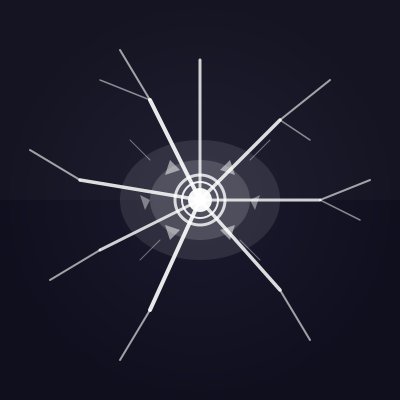
- Combine With Broken Glass: Pretend the TV shattered and lost signal simultaneously.
- Record Loops: Capture footage for editing into YouTube videos later.
❓ FAQ
Does it damage OLED screens?
No. The noise constantly changes pixels, so there’s no burn-in risk.
Can I automate glitches?
Enable auto-glitch mode to trigger roll bars every few seconds.
Will it run offline?
Yes. Once loaded, it keeps animating locally.
Any epilepsy concerns?
Rapid flashing can be intense. Use caution around sensitive viewers.
🧘 Static Meditation
Set the brightness low, mute the tone, and let the slow shimmer act as a visual mantra. Some people count how many diagonal streaks they notice per minute; others sync breathing with the rolling bars. Turn a prank into a focus ritual between jumpscares.
🤝 Watch Party Games
Challenge friends to narrate why the broadcast cut out. Maybe aliens hijacked the station, maybe an intern tripped over a cable, maybe the universe is buffering. Award points for creativity and keep a scoreboard on a nearby whiteboard.
🧾 Field Notes Template
Keep a little notepad next to the display and log every “technical hiccup” like a broadcaster. Time-stamp each glitch, describe fictional weather interference, and staple the pages into a zine later. Fans love reading the behind-the-scenes drama of an imaginary station.
⚙️ DIY Foley
Layer handmade noises over the static: crumple aluminum foil for lightning, tap microphone cables for jitter, whistle quietly for ghost signals. Turning the prank into a live sound-design session keeps everyone participating instead of just watching.
🎨 Static Art Studio
Project the pattern onto canvases or white shirts, then trace the light with fabric markers. Guests leave with glitch-inspired artwork while the TV keeps “malfunctioning” in the background. Perfect for retro art nights.
📡 Urban Legends Hour
Invite everyone to invent conspiracy theories explaining the static: secret numbers stations, portals to analog dimensions, meteor showers knocking satellites offline. Record the best stories and overlay them on footage of the static for a faux-documentary short.
🚪 Escape Room Mode
Hide clues inside the white noise by flashing barely visible symbols or coordinates. Players must watch the “broken” TV carefully to advance. It’s a sneaky way to slow them down and build tension between puzzles.
🧘 Wellness Remix
Believe it or not, a gentle snow pattern paired with soft ambient pads can become a focus aid. Set a timer, let teammates stare at the noise, and treat it like a visual meditation before tackling creative work. The prank becomes a productivity ritual.
📺 Program Director Playbook
Roleplay the escalations a broadcast engineer would make during real outages. Draft a checklist and work through it dramatically:
- Signal Audit: Pretend to swap HDMI cables, wiggle antennas, and log “no improvement” with theatrical sighs.
- Affiliate Calls: Pick up a prop phone and “call” other stations to ask if they still see the feed.
- Public Apology: Step in front of the TV and issue an over-the-top statement to your living room audience.
- Backup Spin-Up: Flicker the lights or power cycle a surge protector to simulate rebooting an uplink tower.
- Postmortem: After the reveal, gather everyone for a comedic retrospective about how the “incident” was handled.
🛍️ Limited-Run Merch
Print the static pattern onto stickers or patches labeled “Station 404.” Hand them out to anyone who survived the prank so they can flaunt their membership in the Glitch Club.
🕰️ Outage Timeline Challenge
Assign five volunteers different roles—master control, satellite ops, field reporter, ad sales, and legal. Each minute, cue the next person to deliver a dramatic update about what the static is costing their department. The unfolding timeline turns a simple visual loop into serialized drama.
📼 Syndication Marathon
Schedule ten-minute “shows” that allegedly follow the outage. At the top of each segment, announce a new excuse—meteor showers, raccoons chewing cables, interns rebooting the uplink. Between updates, prompt the audience to invent fake sponsors or jingles for the phantom broadcast. The revolving programming guide makes a looping static screen feel like a full evening of chaotic television.
🔁 Loop Tracker
Keep a tally of how many times someone says “Maybe change the input?” or “Try unplugging it.” Every repeated suggestion earns a chalk mark on a nearby board. When the board fills up, reveal the simulation and read the tally aloud like sports stats.
📡 Keep It Playful
Static pranks should never maliciously interrupt important broadcasts. Aim for nostalgia, not sabotage, and always give people their show back.
Common Use Cases:
Film & Video Production
Use authentic interface simulations as background visuals and set dressing in film and video production. Perfect for any scene requiring computer screens.
- Cinematic computer screen effects
- Movie and commercial production backgrounds
- Professional visual content creation
Educational & Security Training
Use interface simulations for cybersecurity awareness training and educational demonstrations in schools and corporate settings.
- IT security awareness programs
- Computer science education demonstrations
- Technology history classroom materials
Stream & Content Overlays
Add professional interface elements and visual effects to Twitch streams, YouTube videos, and other content creation platforms.
- Stream overlays and visual effects
- YouTube video production content
- Professional streaming backgrounds
UI/UX & Design Reference
Study and reference authentic operating system interfaces, terminal designs, and error message layouts for UI/UX design and development projects.
- Interface design reference materials
- Developer learning and experimentation
- Historical technology study
Retro Computing & Nostalgia
Explore and experience authentic recreations of classic operating systems and interfaces. Perfect for tech enthusiasts and nostalgic exploration.
- Experience classic OS designs
- Technology history exploration
- Retro tech appreciation
Web Development Learning
Explore advanced web development techniques, creative coding patterns, and interactive visual effects for professional projects.
- Advanced CSS and JavaScript techniques
- Interactive animation patterns
- Professional effect development
How to Use These Simulations
Follow these simple steps to get the most out of our interface simulations
1
Choose Your Simulation
Browse our collection of high-fidelity interface simulations and select one that matches your creative or educational needs. From classic OS designs to modern system interfaces, pick what fits your project.
2
Open in Your Project
Launch the simulation on the device where you need it. You can open it on your own device for review, or integrate it into your creative project, presentation, or educational material.
3
Enjoy the Simulation
Experience the authentic visual effects and immersive interface. Explore the interactive elements and appreciate the high-fidelity recreation of classic or modern computing interfaces.
4
Exit Anytime
You can exit the simulation at any time by pressing ESC or F11. All simulations run entirely in your browser with no system interaction or device modifications.
5
Share Responsibly
If you record or share content featuring these simulations, do so responsibly. Always credit PranxWorld and disclose that these are visual simulations for educational or creative purposes.
6
Explore More
Try different simulations! Each one offers unique visual effects and interface experiences. Mix and match to find the perfect simulation for your needs.
💡 Professional Tips for Best Results:
- Full screen for immersion - Press F11 for maximum visual impact in presentations or video production
- Use in appropriate contexts - Best suited for film production, streaming, education, and creative projects
- Transparency matters - Clearly disclose that these are simulations when used in any public-facing content
- Obtain consent - If used in live demonstrations or recordings, ensure all participants are informed and consent
- Test beforehand - Verify compatibility and appearance on your target device and browser
- Respect boundaries - Use only in appropriate professional and educational settings