
Terminal - Matrix Style
ROOT@SECURE-SYSTEM:/classified#
●CONNECTED
ANY KEYType to hack
ESCAccess granted
CTRL + CTrigger alert
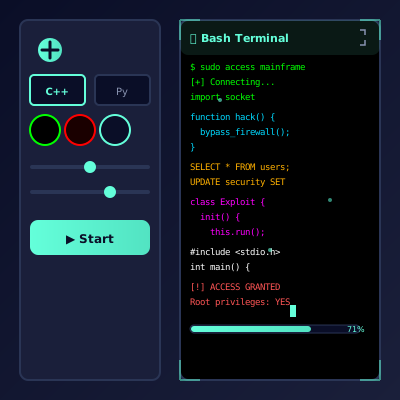
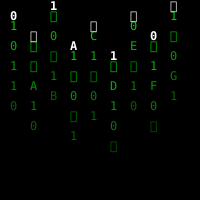
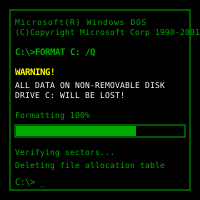
🎬 Hacker Typer: Matrix Style Code Simulator
Drip in that legendary emerald rain, soundtrack your own cyber heist, and convince anyone nearby that you see the streams of the Matrix.
🌌 The Mythology You Are Tapping Into
This simulator is a love letter to the monitors, movies, and myths that defined hacker aesthetics.
Before LCD panels, phosphor screens glowed green because of the chemical coating on the glass. Engineers would stay late in labs lit only by CRTs, and that eerie glow lodged itself in our collective imagination. When The Matrix amplified that imagery with cascading glyphs, it cemented the idea that elite coders “saw” the world in neon characters. Running this simulator recreates that exact signal. People may not understand what your code means, but they know this vibe: they’ve seen it in arcades, retro anime, hacker thrillers, and music videos.
Unlike generic simulation apps, the Matrix Style version doubles down on typography. The glyphs pulse in brightness like phosphor decay, the horizontal jitter mimics camera interference, and the vertical scroll rate is tuned to look natural when filmed at 24, 30, or 60 fps. Producers use it as an instant screen replacement, teachers use it to contrast pop-culture hacking with reality, and creators use it for “caught you off guard” moments at friends’ desks. It’s timeless because it tells a visual story within seconds.
💚
Iconic Palette
Black canvas, luminous green code, subtle bloom. Everything is tuned for cinematic readability.
🛰️
Signal Boost
People instantly associate the look with “deep access.” No exposition required—one glance and they buy the story.
🎚️
Adaptive Speed
Dial the character flow to match your performance. Slow builds for suspense, rapid bursts for dramatic reveals.
🔊
Optional Audio
Add keyboard clicks, VHS hum, or synth drones for immersion. The visual cadence syncs nicely with most sound cues.
🚀 Crafting Your Scene
Here’s how professional creators stage a Matrix moment without touching After Effects.
1
Establish The Mood
Kill overhead lights, tilt the screen slightly, and run the browser in fullscreen. The glow on your face does half the storytelling.
2
Prime The Buffer
Hold down a key for a second to start the scroll, then switch to natural typing so the rhythm feels intentional.
3
Trigger Cinematic Beats
Use the overlay hotkeys when you mention firewalls, backdoors, or access logs. The popup becomes your punctuation mark.
4
Loop For Witnesses
Leave it running in the background of a stream, a Discord call, or a conference talk. Someone will eventually ask what you are “tracking.”
5
Reveal The Joke
Tap Escape for Access Granted, spin around, and casually say “We’re in.” Then show them the simulator so they can use it too.
🎯 Scenarios That Benefit From Digital Rain
Based on hundreds of community submissions.
🎥
Screen Fillers
Editors drop it behind interview subjects to imply a cybersecurity control room. The loop is smooth enough for long takes.
🏫
Classroom Icebreakers
Teachers project it before lessons about encryption, then ask students to list differences between movies and reality.
🧨
Event Entrances
Hackathons, LAN parties, and themed birthdays use it on big TVs as guests arrive. It signals the night’s theme instantly.
🎮
Cosplay & Roleplay
Slip a tablet with Matrix code into a backpack prop or have it running on a handheld device for photo ops.
🧠 Design Notes & Behind-The-Scenes
We reverse engineered the cadence of the original Matrix code. The mix of Japanese katakana, Latin characters, and numerals appear in weighted ratios so nerds recognize the homage. Motion blur, glow falloff, and random glyph replacements keep the stream feeling alive rather than tiled.
The typing engine quietly queues up thousands of characters to avoid micro stutters. When you slam a popup shortcut, the animation timeline offsets, so the overlay doesn’t simply sit on top; it actually syncs with the scroll by temporarily changing the character brightness underneath. These tiny touches matter when you’re projecting on a 4K screen or filming in macro. The result is a simulation that holds up even when scrutinized frame-by-frame.
🧾 Performance Tips
- Use analogies. Narrate what you’re “seeing” in plain language (“There’s a port 443 tunnel they forgot to lock”) so non-technical friends can follow the story.
- Sync with music. Put a lo-fi beat or cinematic pulse on a speaker. Match your typing bursts to the rhythm for maximum drama.
- Layer devices. Run the Matrix code on one monitor and a different simulator (maybe the Radar or Advanced Typer) on another. It looks like a full command center.
- Reset between audiences. Refresh the page to randomize the glyph seed so repeat viewers don’t notice patterns.
🎭 Scene Workshop
Gather a few friends and rotate roles—Operator, Narrator, Skeptical Auditor. The Operator handles the keyboard, the Narrator describes the “mission” in dramatic prose, and the Auditor interrupts with questions that force improvisation (“Which subnet is that exactly?”). Taking turns flexes storytelling muscles and keeps everyone laughing even before the reveal.
📒 Reaction Journal
Keep a small notebook near your setup and jot down the wildest quotes you hear (“I can literally see the Matrix,” “Is that legal?”). Rate each performance on a simple scale—Glow, Awe, Confusion, Relief—and note which music tracks or lighting setups earned the strongest reactions. Reviewing the log before your next event helps you craft ever-more cinematic hacker moments.
🧩 Prompt Roulette
Write mission seeds (“steal the comet data,” “bypass mint-green firewall,” “upload the cat photos”) on index cards and shuffle them before each session. Draw one at random as soon as the code starts to flow. The surprise prompt keeps seasoned simulator enthusiasts on their toes and ensures no two performances share the same storyline.
❓ Community FAQ
Is this the same as the Advanced Hacker Typer?
No. Advanced focuses on multi-language realism. This version leans into pure Matrix aesthetics for fast setups and visual storytelling.
Can I customize the glyph set?
Yes. Power users inject CSS or swap the font via browser dev tools. The app is client-side, so experiment freely.
Does it drain battery?
No more than any animated site. It’s optimized for laptops; just lower brightness if you’re looping it for hours.
Is there a story mode?
The story is whatever you narrate. Pair it with a script, improvise dialogue, or let silent scrolling set the mood.
🛡️ Keep It Playful
Always frame this as a creative simulation you're sharing. Show people the clever engineering behind it, encourage others to try it, and keep that green glow associated with appreciation for digital artistry.
Common Use Cases:
Film & Video Production
Use authentic interface simulations as background visuals and set dressing in film and video production. Perfect for any scene requiring computer screens.
- Cinematic computer screen effects
- Movie and commercial production backgrounds
- Professional visual content creation
Educational & Security Training
Use interface simulations for cybersecurity awareness training and educational demonstrations in schools and corporate settings.
- IT security awareness programs
- Computer science education demonstrations
- Technology history classroom materials
Stream & Content Overlays
Add professional interface elements and visual effects to Twitch streams, YouTube videos, and other content creation platforms.
- Stream overlays and visual effects
- YouTube video production content
- Professional streaming backgrounds
UI/UX & Design Reference
Study and reference authentic operating system interfaces, terminal designs, and error message layouts for UI/UX design and development projects.
- Interface design reference materials
- Developer learning and experimentation
- Historical technology study
Retro Computing & Nostalgia
Explore and experience authentic recreations of classic operating systems and interfaces. Perfect for tech enthusiasts and nostalgic exploration.
- Experience classic OS designs
- Technology history exploration
- Retro tech appreciation
Web Development Learning
Explore advanced web development techniques, creative coding patterns, and interactive visual effects for professional projects.
- Advanced CSS and JavaScript techniques
- Interactive animation patterns
- Professional effect development
How to Use These Simulations
Follow these simple steps to get the most out of our interface simulations
1
Choose Your Simulation
Browse our collection of high-fidelity interface simulations and select one that matches your creative or educational needs. From classic OS designs to modern system interfaces, pick what fits your project.
2
Open in Your Project
Launch the simulation on the device where you need it. You can open it on your own device for review, or integrate it into your creative project, presentation, or educational material.
3
Enjoy the Simulation
Experience the authentic visual effects and immersive interface. Explore the interactive elements and appreciate the high-fidelity recreation of classic or modern computing interfaces.
4
Exit Anytime
You can exit the simulation at any time by pressing ESC or F11. All simulations run entirely in your browser with no system interaction or device modifications.
5
Share Responsibly
If you record or share content featuring these simulations, do so responsibly. Always credit PranxWorld and disclose that these are visual simulations for educational or creative purposes.
6
Explore More
Try different simulations! Each one offers unique visual effects and interface experiences. Mix and match to find the perfect simulation for your needs.
💡 Professional Tips for Best Results:
- Full screen for immersion - Press F11 for maximum visual impact in presentations or video production
- Use in appropriate contexts - Best suited for film production, streaming, education, and creative projects
- Transparency matters - Clearly disclose that these are simulations when used in any public-facing content
- Obtain consent - If used in live demonstrations or recordings, ensure all participants are informed and consent
- Test beforehand - Verify compatibility and appearance on your target device and browser
- Respect boundaries - Use only in appropriate professional and educational settings