SECURE TERMINAL ACCESS
CLEARANCE LEVEL: CLASSIFIED
▊
▊
// AUTHORIZED PERSONNEL ONLY
// ALL ACTIVITIES ARE MONITORED
CLEARANCE LEVEL: CLASSIFIED
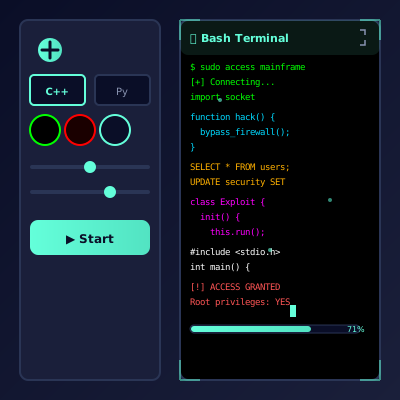
A full-screen cyber command center with draggable windows, faux terminals, “encrypted” files, and cinematic alerts at your fingertips.
Unlike simple code streams, this prank simulates an entire operating system.
Boot into a neon-tinted workspace filled with widgets: threat maps, log feeds, terminal panes, file explorers, system status cards, and media players. Every window can be repositioned, minimized, or popped fullscreen. Right-click the desktop for context menus, open the faux app launcher, and trigger notifications in the corner like a real OS.
Browse fake directories, double-click “classified” PDFs, or drag icons into folders.
Type commands like scan --deep or deploy worm and watch scrolling logs respond.
Animated arcs “trace” packets across continents; perfect for mission briefings.
Trigger breach notifications, countdowns, or security clearances with a tap.
Directors need diegetic screens. This OS is production-ready out of the box.
Leave it on a coworker’s desk and tell them IT is “monitoring a breach.”
VTubers and ARG creators use it as a narrative hub for missions.
Teachers show Hollywood UI tropes before demonstrating real tools.
Run the startup animation; LEDs blink, log text scrolls, and the desktop fades in.
Open the terminal, map, and analytics panels so the screen feels busy.
Enter sequences like trace target-alpha followed by deploy countermeasures.
Pop up an “Intrusion Detected” modal for realistic security alert effect.
Hit the lock icon to show “Session Terminated” before revealing the gag.
We mixed cyberpunk neon, NASA telemetry, and modern SOC dashboards. That blend keeps techies interested while casual viewers just see “cool hacker stuff.”
Print prompt cards (“Rival syndicate detected,” “Client waiting on decrypt,” “Satellite drift warning”) and draw one whenever the energy dips. Improvised objectives keep even long streams feeling dynamic.
Create lore dossiers for recurring characters—engineers, rival crews, rogue AIs—and pin their photos inside the faux file explorer. Each time you run the prank, continue the saga. Suddenly the desktop becomes an episodic series instead of a one-off gag.
Fans love discovering hidden Easter eggs, so tuck secret phrases into log files or require certain commands to unlock story chapters. Treat the OS like an ARG hub and your audience will keep asking when the next “mission window” opens.
Record close-ups of cursor travel, notification pop-ins, and window drag physics for later editing. Cut these inserts into vlogs or mockumentaries whenever you need “cyber intel” shots. Because everything is browser-based, you can restage the same shot with different color palettes in seconds.
Give participants a bingo card of missions (“Trigger security alert twice,” “Open all windows at once,” “Rename three files with villainous titles”). First team to complete a line wins snacks. The desktop becomes an interactive playground instead of a passive gag.
Bind a thin notebook labeled “Operations Ledger” and fill it with handwritten mission summaries after each session. Describe who played which role, what commands they typed, and how the “incident” concluded. The growing archive encourages repeat performances and makes the prank feel like part of a larger saga.
Pair newcomers with “senior analysts” for five-minute coaching sessions. The mentor explains which window to open, how to narrate telemetry, and when to trigger alerts. Swap roles after each mission so everyone practices leading and following. The structure turns your prank into a collaborative workshop rather than a solo show.
Keep a tackle box filled with badge lanyards, red string, mission coins, and blank USB sticks. Before each performance, let participants grab two props and weave them into the story (“This coin unlocks the vault,” “This USB holds the antidote”). Physical tokens anchor the audience’s imagination and make post-prank selfies look like stills from a heist series.
Layer fan noise, modem squeals, and low alarm drones on a loop. Fade them in or out depending on what’s happening on screen. Audio cues guide your audience’s emotions even when the visuals are busy.
Create modules like “Command Line Confidence,” “Map Interpretation,” and “Incident Response Improv.” Friends rotate through stations, earning stickers for each skill mastered. By the finale, they feel like graduates of a fictional cyber academy.
Break your roleplay into act structure:
Outline multi-episode arcs like a streaming show: Episode 1 introduces a rogue AI, Episode 2 reveals a mole inside the file explorer, Episode 3 escalates with satellite overrides, and the finale features a countdown across every widget. Returning players love watching plot threads pay off.
Write tiny objectives on sticky notes—“Spawn three alerts in 30 seconds,” “Rename five files with code names,” “Dock every window to the left column.” Draw one whenever energy dips and race to complete it before the soundtrack loop ends. The bite-sized dares keep experienced operators engaged while newcomers watch the chaos unfold.
This interface is for storytelling and laughs. Don’t impersonate real security teams or fake breaches in sensitive environments. reveal the simulation promptly.
Use authentic interface simulations as background visuals and set dressing in film and video production. Perfect for any scene requiring computer screens.
Use interface simulations for cybersecurity awareness training and educational demonstrations in schools and corporate settings.
Add professional interface elements and visual effects to Twitch streams, YouTube videos, and other content creation platforms.
Study and reference authentic operating system interfaces, terminal designs, and error message layouts for UI/UX design and development projects.
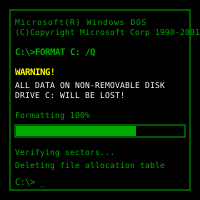
Explore and experience authentic recreations of classic operating systems and interfaces. Perfect for tech enthusiasts and nostalgic exploration.
Explore advanced web development techniques, creative coding patterns, and interactive visual effects for professional projects.
Follow these simple steps to get the most out of our interface simulations
Browse our collection of high-fidelity interface simulations and select one that matches your creative or educational needs. From classic OS designs to modern system interfaces, pick what fits your project.
Launch the simulation on the device where you need it. You can open it on your own device for review, or integrate it into your creative project, presentation, or educational material.
Experience the authentic visual effects and immersive interface. Explore the interactive elements and appreciate the high-fidelity recreation of classic or modern computing interfaces.
You can exit the simulation at any time by pressing ESC or F11. All simulations run entirely in your browser with no system interaction or device modifications.
If you record or share content featuring these simulations, do so responsibly. Always credit PranxWorld and disclose that these are visual simulations for educational or creative purposes.
Try different simulations! Each one offers unique visual effects and interface experiences. Mix and match to find the perfect simulation for your needs.