
Radar Simulator
📡 Radar Control Room Simulator
Spinning sweeps, glowing blips, and soft beeps create an instant command-center vibe—no hardware needed.
🛰️ Built Like Real Scope Consoles
The green phosphor effect, bearing markers, and persistence trails mimic analog radar tubes.
The sweeping arm rotates with adjustable RPM, leaving fading trails on detected targets. Blips spawn with configurable density and size; some fade quickly while others linger like tracked aircraft. Grid overlays show concentric range rings and azimuth ticks. Toggle topography, enable crosshair labels, and add noise for realism.
🎚️
Precision Controls
Adjust sweep speed, persistence, pulse width, and gain to create different radar personalities.
🗺️
Sector Masks
Limit detection to specific arcs to simulate search patterns or malfunctioning arrays.
🔊
Authentic Audio
Enable radar pings, console hum, and faint static for cinematic depth.
🛠️
Manual Blip Injection
Click to drop custom contacts with labels like “Unknown Bogey” or “Friendly.”
🎯 Favorite Scenarios
🎭
Escape Rooms
Use the radar to display clues. Players must monitor coordinates to unlock the next puzzle.
🎬
Film Props
Directors project it onto set monitors for submarine, air traffic, or sci-fi command centers.
🎮
LAN Parties
Set it on a spare monitor to simulate “intel” during tactical gaming sessions.
🧑🏫
Class Projects
Teachers explain wave propagation and detection methods using the live visualization.
🚀 Quickstart Checklist
1
Choose Mode
Select Air Defense, Maritime, or Sci-Fi presets to load matching color palettes and sweep speeds.
2
Set Density
Use low density for calm airspace, high density for invasion vibes.
3
Enable Sound
Unmute to add authentic pings. Lower the volume so it feels like background ambience.
4
Fullscreen Display
Fill your monitor or projector for maximum immersion.
5
Script A Narrative
Call out headings (“Bogey at 120°”) to make the room feel like a live operation.
🧠 Design Notes
Real radar displays rely on phosphor persistence. We emulate that by drawing sweeps multiple times with diminishing opacity. The result is a believable afterglow, perfect for filming close-ups.
The grid lines follow actual degree markings, so you can explain bearing angles accurately if you’re teaching navigation principles.
🧾 Enhancement Tips
- Ambient Lighting: Use green LEDs behind the monitor to extend the glow.
- Pair With Audio Logs: Play recorded radio chatter to complete the illusion.
- Multi-Screen Setup: Run radar on one screen, mission briefings on another for immersive ARGs.
- Manual Events: Click to spawn a giant blip and announce “unknown contact” for dramatic twists.
❓ FAQ
Does it track real aircraft?
No. It’s purely visual. Everything is simulated for storytelling and pranks.
Can I script custom blips?
Yes. Advanced users can run small scripts in the console to spawn objects at set intervals.
Does it run offline?
Once loaded, it continues without internet—handy for warehouse events.
Will it strain my GPU?
The canvas is lightweight. Lower density if you’re using tiny single-board computers.
🛰️ Storyline Seeds
- Lost Aircraft: Spawn a single blip moving slowly across the screen and narrate a rescue mission.
- Kaiju Alert: Drop a massive contact near shorelines and blare sirens to mimic monster movies.
- Space Debris: Switch to a dark theme and pepper dozens of tiny blips to represent satellites raining down.
📒 Lesson Plan Idea
Have students measure the sweep angle at which a blip appears, convert it to compass bearings, then plot the position on paper charts. It’s a tactile way to connect screen visuals with navigation math.
🗺️ Mission Logs
Keep a notebook beside the screen and jot down fictional radar reports every five minutes (“04:12 UTC - Unknown contact at 230°, speed 120 knots”). Reading the log aloud later turns a casual prank into a full-blown radio drama.
🎲 Party Challenge
Give each guest a secret role—controller, pilot, meteorologist—and have them respond whenever their assigned type of blip appears. The improv chaos rivals any board game night.
📐 STEM Tie-Ins
Print worksheets where students convert nautical miles to kilometers, or calculate time-to-intercept based on sweep intervals. The simulator keeps the math grounded in a visual story, which helps reluctant learners stay engaged.
🎙️ Documentary Voiceover
Record yourself narrating like a calm air-traffic reporter: “At 0400 hours, controllers spotted a lone return drifting south.” Layer the audio over screen recordings and you’ve got instant faux news segments for TikTok or presentations.
🧳 Field Kit
Pack a small case with simulated radar credentials, laminated airspace maps, and glow sticks. Hand them to friends as “clearance badges” before they approach the monitor. Props like these buy you instant immersion with very little scripting.
📊 Data Viz Workshop
Export screenshots at different persistence and density settings, then analyze them like scientific charts. Discuss how clarity, noise, and resolution change the story you’re telling. Designers love dissecting the UI this way.
🌐 Expedition Planner
Map out pretend missions on a whiteboard while the sweep spins. Assign one team to chart “air corridors,” another to monitor “sea lanes,” and a third to transcribe call signs. Every few minutes, pause the radar, ask for a status update, then resume the encounter. The cadence imitates real briefings and pads the experience with improv gold.
🛰️ Blip Theater
When a new contact appears, freeze the sweep and invite someone to monologue as that blip—perhaps they’re a weather balloon on vacation or a spy plane late for dinner. Switching perspectives transforms anonymous dots into characters and gives shy participants a low-stakes improv prompt.
🤜🤛 Co-op Narrative
Assign one person to voice over the radar while another “pilot” responds on walkie-talkie. The back-and-forth dialogue turns the simulator into a mini audio drama perfect for improv nights.
🧭 Training Drill
- Calibration: Explain what each ring and tick mark represents.
- Pattern Recognition: Freeze the screen and ask students to hypothesize what the blip formation means.
- Decision Call: Introduce a scripted “command center” request that requires prioritizing targets.
- Report Writing: Have participants compose a short incident summary.
- Debrief: Compare answers and reward the most creative tactical plan.
🌩️ Weather Crossover
Overlay fictional storm data, then have someone act as meteorologist explaining why the radar signature matters. Blend aviation jargon with weather buzzwords for delightful nonsense.
🛡️ Keep It Fictional
This radar is for fun, storytelling, and education. Don’t use it to impersonate real air traffic feeds or mislead authorities. Channel the drama responsibly.
Common Use Cases:
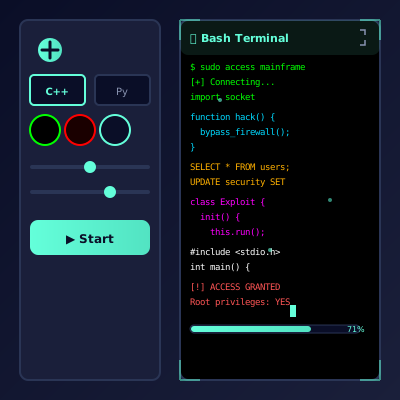
Film & Video Production
Use authentic interface simulations as background visuals and set dressing in film and video production. Perfect for any scene requiring computer screens.
- Cinematic computer screen effects
- Movie and commercial production backgrounds
- Professional visual content creation
Educational & Security Training
Use interface simulations for cybersecurity awareness training and educational demonstrations in schools and corporate settings.
- IT security awareness programs
- Computer science education demonstrations
- Technology history classroom materials
Stream & Content Overlays
Add professional interface elements and visual effects to Twitch streams, YouTube videos, and other content creation platforms.
- Stream overlays and visual effects
- YouTube video production content
- Professional streaming backgrounds
UI/UX & Design Reference
Study and reference authentic operating system interfaces, terminal designs, and error message layouts for UI/UX design and development projects.
- Interface design reference materials
- Developer learning and experimentation
- Historical technology study
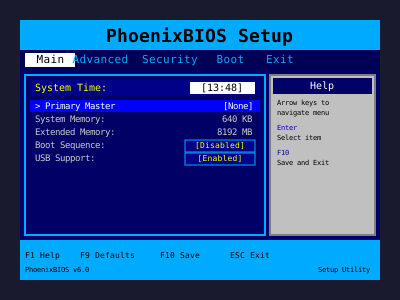
Retro Computing & Nostalgia
Explore and experience authentic recreations of classic operating systems and interfaces. Perfect for tech enthusiasts and nostalgic exploration.
- Experience classic OS designs
- Technology history exploration
- Retro tech appreciation
Web Development Learning
Explore advanced web development techniques, creative coding patterns, and interactive visual effects for professional projects.
- Advanced CSS and JavaScript techniques
- Interactive animation patterns
- Professional effect development
How to Use These Simulations
Follow these simple steps to get the most out of our interface simulations
1
Choose Your Simulation
Browse our collection of high-fidelity interface simulations and select one that matches your creative or educational needs. From classic OS designs to modern system interfaces, pick what fits your project.
2
Open in Your Project
Launch the simulation on the device where you need it. You can open it on your own device for review, or integrate it into your creative project, presentation, or educational material.
3
Enjoy the Simulation
Experience the authentic visual effects and immersive interface. Explore the interactive elements and appreciate the high-fidelity recreation of classic or modern computing interfaces.
4
Exit Anytime
You can exit the simulation at any time by pressing ESC or F11. All simulations run entirely in your browser with no system interaction or device modifications.
5
Share Responsibly
If you record or share content featuring these simulations, do so responsibly. Always credit PranxWorld and disclose that these are visual simulations for educational or creative purposes.
6
Explore More
Try different simulations! Each one offers unique visual effects and interface experiences. Mix and match to find the perfect simulation for your needs.
💡 Professional Tips for Best Results:
- Full screen for immersion - Press F11 for maximum visual impact in presentations or video production
- Use in appropriate contexts - Best suited for film production, streaming, education, and creative projects
- Transparency matters - Clearly disclose that these are simulations when used in any public-facing content
- Obtain consent - If used in live demonstrations or recordings, ensure all participants are informed and consent
- Test beforehand - Verify compatibility and appearance on your target device and browser
- Respect boundaries - Use only in appropriate professional and educational settings