
Fake DOS Format
Microsoft Windows [Version 10.0.14393]
(c) 2017 Microsoft Corporation. All rights reserved.
C:\>_
💾 Fake DOS Disk Formatter
Bring back the era when a single typo at the C: prompt could vaporize your homework. This simulator recreates the black-on-green experience of FORMAT.COM.
🕹️ Pure 90s Authenticity
CRT glow, monospace characters, and the ominous question: “WARNING, ALL DATA ON DRIVE C: WILL BE LOST.”
The screen boots into a faithful MS-DOS replica with BIOS memory counts, floppy seek sounds, and the blinking underscore cursor. Type anything and the system reacts with old-school syntax: format c:, dir /s, john.exe. When it “formats,” sector counts fly across the screen, cylinders get enumerated, and a fake percentage ticker accelerates dangerously fast.
⌨️
Command Parser
The console understands classic DOS commands and responds with realistic prompts, errors, and confirmation dialogs.
📟
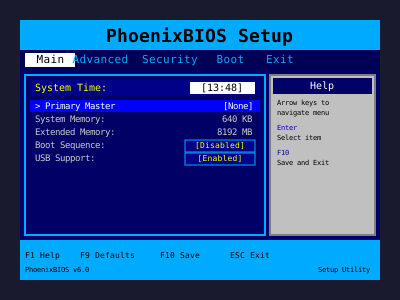
BIOS Intro
A brief POST screen scrolls by, setting the tone before the FORMAT utility appears.
🧮
Sector Counter
The formatting phase lists clusters, bytes per allocation unit, and total disk space like original DOS messages.
📼
Retro SFX
Optional floppy whirs and PC speaker beeps for anyone nostalgic about beige towers.
🎯 When To Deploy
- Retro LAN Parties: Sneak it onto an old ThinkPad and observe veteran reactions.
- STEM Classes: Teachers use it to demonstrate what computers looked like before GUIs.
- Office Pranks: Launch it on a Windows terminal server window and yell “WHO STARTED FORMAT?!”
- Content Creation: Pair it with VHS filters for nostalgic TikToks or documentaries.
🚀 Execution Steps
1
Open Fullscreen
Press F11 so the black background fills the monitor. Adjust brightness down to mimic CRT glow.
2
Type The Command
Enter format c: or format d:. The simulator prompts, “Proceed with Format (Y/N)?”
3
Confirm Dramatically
Press “Y” with a sigh. The system begins counting sectors while you shake your head.
4
Layer Commentary
Mutter phrases like “I hope we have backups” or “That’s the production drive.” It spikes adrenaline instantly.
5
Reveal Kindly
Before anyone dives for the power cable, exit fullscreen, smile, and explain the throwback prank.
🧠 Cultural Context
In the 80s and 90s, formatting was irreversible. There were no recycle bins or cloud backups. Seeing FORMAT.COM meant hours lost. That memory still jolts anyone who lived through it. Younger audiences, meanwhile, experience pure curiosity—“people really did this?”—making it educational and funny.
🎬 Creative Variations
- Fake Corporate Audit: Rename the drive “Finance_Q4” before formatting.
- Escape Room Puzzle: Require players to “cancel” the format by typing a secret command.
- Streamer Bit: Start the format mid-stream and pretend a mod deleted the server.
- Parent Trap: Launch it on a kid’s laptop when they ignore chores, then quickly reveal it’s fake.
🧾 Tips For Realism
- Add Hardware Props: Place a floppy disk or IDE drive nearby for authenticity.
- Use Mechanical Keyboard Sounds: Loud key clicks sell the retro vibe.
- Disable Screensaver: Keep the monitor awake so the format text never pauses.
- Screenshot Proof: Snap a photo to send later with the caption “Remember when we almost wiped C:?”
📚 Field Manual Appendix
Write a few pages of mock documentation describing the “proper” way to execute a format mission—include diagrams of jumper settings, coffee break schedules, and an oath swearing to label backup tapes. Hand the booklet to your audience before the prank starts so they feel like accomplices, then stamp it “Mission Accomplished” once you reveal the website.
❓ FAQ
Does it touch actual drives?
Absolutely not. It’s purely a visual console in your browser.
Can I change the drive letter?
Yes. Type any letter after
format and the UI updates accordingly.Is there a way to “abort” mid-format?
Press Esc or close the tab. For extra drama, type
Ctrl+C and it will simulate an interrupted command.Will experts notice?
Retro enthusiasts might spot the modern font anti-aliasing, but fullscreen plus ambient lighting fools most audiences.
📼 Storytelling Challenge
Invite friends to improvise the backstory of the doomed hard drive. Was it the accounting system? A top-secret project? Grandma’s recipe archive? Passing the narrative baton keeps everyone laughing while the “format” counter climbs.
For extra flair, sketch a fake backup plan on a whiteboard behind you: “1) Awe, 2) Call tech support, 3) Blame Steve.” These visual gags turn a single-screen prank into a full scene worthy of a sitcom cold open.
🗃️ Retro Timeline Drill
Chart the legendary evolution of storage while the fake format bar crawls. Write milestones on sticky notes—5.25" floppies, ZIP drives, Jazz cartridges, USB thumb drives—and peel them off dramatically as though the computer is erasing tech history.
- Color Code Eras: Use different marker colors for 80s, 90s, and 00s media so onlookers get an impromptu museum tour.
- Story Token: Assign each volunteer a piece of storage gear and have them defend why it deserves to survive the purge.
- Disaster Dice: Roll a die to determine what catastrophic event “necessitated” the format: lightning strike, cat chew, hacker intrusion, caffeinated spill.
🧪 Office Lab Kit
Keep a shoebox labeled “Emergency Backup Tools” filled with blank CDs, Sharpies, antistatic bags, and a fake manual titled Disaster Recovery 1998. When the format screen appears, open the box with exaggerated seriousness and hand out props. Suddenly your prank becomes a live-action drill, complete with “tape rotation schedules” and “offsite vault runs.”
📰 Patch Notes Gazette
Create a one-page “newsletter” describing imaginary software bugs you’re allegedly fixing with this format. Print headlines like “Spreadsheet Server Overrun By Tamagotchi Simulator” and pin it near the monitor. Onlookers love reading the lore while the sectors tick by.
🎶 Backup Chant
Teach the room a call-and-response (“When do we back up? Every night!”). Chant it as the format percentage climbs. The silliness cements real data-hygiene habits.
🎤 Developer Interviews
Set up a mic and pretend to interview “system engineers” about what went wrong. Give them prompt cards with ridiculous failure scenarios (“Hamster chewed the SCSI ribbon”). Their improvised answers add dozens of extra laughs.
📷 Projection Tricks
Point a short-throw projector at translucent curtains or fog screens to create volumetric rain. Drape sheer fabric in doorways so guests literally walk through digital code. Photographers love combining the projection with slow shutter speeds for painterly portraits.
🧩 Story Hooks
- Portal Effect: Cut a cardboard doorway and project rain only inside the frame, implying a gateway to the Matrix.
- Glitch Moments: Occasionally switch to white rain or invert colors to simulate system anomalies.
- Interactive Prompt: Encourage guests to shout “I can see the code” whenever the colors change.
🛡️ Keep It Harmless
Never use this prank to threaten coworkers or imply real data loss. The fun lies in nostalgia, not stress. Reveal quickly, and maybe teach someone what DOS used to look like.
Common Use Cases:
Film & Video Production
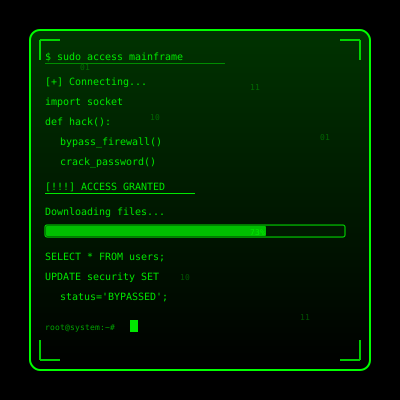
Use authentic interface simulations as background visuals and set dressing in film and video production. Perfect for any scene requiring computer screens.
- Cinematic computer screen effects
- Movie and commercial production backgrounds
- Professional visual content creation
Educational & Security Training
Use interface simulations for cybersecurity awareness training and educational demonstrations in schools and corporate settings.
- IT security awareness programs
- Computer science education demonstrations
- Technology history classroom materials
Stream & Content Overlays
Add professional interface elements and visual effects to Twitch streams, YouTube videos, and other content creation platforms.
- Stream overlays and visual effects
- YouTube video production content
- Professional streaming backgrounds
UI/UX & Design Reference
Study and reference authentic operating system interfaces, terminal designs, and error message layouts for UI/UX design and development projects.
- Interface design reference materials
- Developer learning and experimentation
- Historical technology study
Retro Computing & Nostalgia
Explore and experience authentic recreations of classic operating systems and interfaces. Perfect for tech enthusiasts and nostalgic exploration.
- Experience classic OS designs
- Technology history exploration
- Retro tech appreciation
Web Development Learning
Explore advanced web development techniques, creative coding patterns, and interactive visual effects for professional projects.
- Advanced CSS and JavaScript techniques
- Interactive animation patterns
- Professional effect development
How to Use These Simulations
Follow these simple steps to get the most out of our interface simulations
1
Choose Your Simulation
Browse our collection of high-fidelity interface simulations and select one that matches your creative or educational needs. From classic OS designs to modern system interfaces, pick what fits your project.
2
Open in Your Project
Launch the simulation on the device where you need it. You can open it on your own device for review, or integrate it into your creative project, presentation, or educational material.
3
Enjoy the Simulation
Experience the authentic visual effects and immersive interface. Explore the interactive elements and appreciate the high-fidelity recreation of classic or modern computing interfaces.
4
Exit Anytime
You can exit the simulation at any time by pressing ESC or F11. All simulations run entirely in your browser with no system interaction or device modifications.
5
Share Responsibly
If you record or share content featuring these simulations, do so responsibly. Always credit PranxWorld and disclose that these are visual simulations for educational or creative purposes.
6
Explore More
Try different simulations! Each one offers unique visual effects and interface experiences. Mix and match to find the perfect simulation for your needs.
💡 Professional Tips for Best Results:
- Full screen for immersion - Press F11 for maximum visual impact in presentations or video production
- Use in appropriate contexts - Best suited for film production, streaming, education, and creative projects
- Transparency matters - Clearly disclose that these are simulations when used in any public-facing content
- Obtain consent - If used in live demonstrations or recordings, ensure all participants are informed and consent
- Test beforehand - Verify compatibility and appearance on your target device and browser
- Respect boundaries - Use only in appropriate professional and educational settings