Hacker Typer Simulator
Languages
Theme Preferences
Font Preferences
14px
Color Preferences
#00FF00
#000000
Typing Preferences
1
Bash
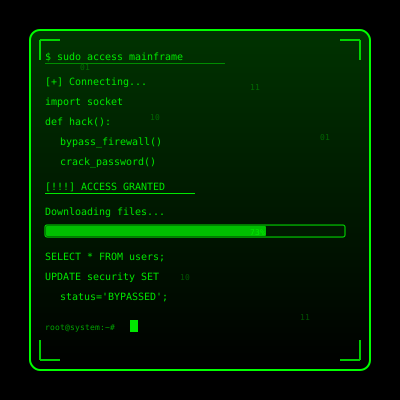
██This is the flagship hacker fantasy builder: believable source code, cinematic popups, and enough control to design your own digital drama.
Built for people who obsess over details—cinematographers, educators, creative enthusiasts, and anyone who wants a simulator with depth.
Most “type anything and code appears” toys stop at a single stream of text. This simulator lets you switch between six real programming languages, blend in curated snippets from legendary projects, and recolor the entire interface on the fly. The fonts, gradients, and glow have been tuned after hours of referencing vintage CRTs, glossy developer films, and modern cyberpunk dashboards. For many users this becomes less of a gag and more of a storytelling tool.
Because every visual is rendered in the browser, you can leave it running for hours without touching system files. That means classrooms can demonstrate “Hollywood hacking” safely, content creators can run it on secondary monitors while they stream, and creative enthusiasts can set it up on a colleague’s laptop without tripping a security warning. If you want to layer on your own audio cues or overlay graphics in OBS, the consistent timing makes it simple.
Toggle between C, C++, Python, Java, JavaScript, and Ruby. Each stream pulls from recognizable open-source files so veterans spot familiar patterns.
Dial speed from “thoughtful analyst” to “superhuman savant,” adjust keystroke-to-character ratio, and script hotkeys for specific reveals.
Matrix Green, Cyberpunk Pink, Terminal Amber, soft whites for daylight shoots—plus custom palettes for brand work.
Trigger Access Granted/Denied overlays, faux trace alerts, or timer bars to create tension without needing After Effects.
The flow below mirrors how professional users prep their sessions.
Pick the language and theme that match your persona. Dim the lights, set your browser to fullscreen, and pair a mechanical keyboard for audible feedback.
Hold any key to preload text, then switch to natural typing. The engine buffers ahead so the transition feels seamless.
Use the popup keys to mimic security prompts, intrusion warnings, or fake data transfers. People remember the beats, not the lines of code.
Spin your laptop toward a coworker, share the browser window on a stream, or cast it to a projector during a tech meetup.
Finish with a triumphant Access Granted overlay or slam an Access Denied alert to mock a foiled intrusion. Timing the reveal is what makes the moment memorable.
Explain the illusion, swap screenshots, and send viewers the link so they can pull the same stunt later. The shared laugh is the best ending.
Real community stories informed these four archetypes.
Overlay it in OBS to give commentary segments a living background. Many channels keep it looping on a vertical monitor just to spark chat questions.
Perfect for educational demos, cybersecurity awareness sessions, or lighthearted “we’re upgrading the firewall” gags during all-hands.
Escape rooms, theater productions, and science museums project the interface to create a believable control center.
Teachers use it to show how “movie hacking” differs from real programming, then segue into authentic lessons.
The simulator is intentionally exaggerated. Real exploitation involves reconnaissance, scripting, and patience. Here, we emphasize animation and rhythm so the audience can follow the narrative. By borrowing genuine code fragments we keep nerd credibility, but by pairing them with theatrical lighting, the scene stays accessible to non-technical viewers.
Every keypress maps to a buffer of characters, so you can maintain eye contact with the crowd while the screen keeps spitting out “evidence.” The moment you tap a popup key, the interface pauses the type stream for a beat, letting the alert breathe. Those subtle delays were modeled after heist films where every beep lands on the soundtrack.
Storyboard your performance like a short film. Decide which popup marks Act I, where the speed ramps, and when the Access Granted overlay drops. Record a rehearsal on your phone, then tweak keyboard angle, wrist placement, and pacing until the footage feels like a prop from a blockbuster. Treating the simulator like a set piece elevates the entire gag.
Host a swap meet where friends trade their favorite parameter presets—one person loves neon pink glyphs at lightning speed, another swears by slow amber code for noir shoots. Share the CSS snippets or JSON configs in a group chat so everyone can reload the exact aesthetic later. Collaborative tinkering keeps the simulator fresh and evolving.
Ask someone to sit behind you and narrate the scene like a sports caster: “Our operator is pivoting to the Ruby stream… and there’s the breach pop-up!” The live commentary helps quieter audiences follow the beats and adds another layer of comedy when you finally reveal the gag.
Use the simulator to inspire curiosity, not skepticism. If someone feels uneasy, flip to the Access Denied screen, laugh, and show them how you did it. Great simulations leave people inspired to try it themselves.
Use authentic interface simulations as background visuals and set dressing in film and video production. Perfect for any scene requiring computer screens.
Use interface simulations for cybersecurity awareness training and educational demonstrations in schools and corporate settings.
Add professional interface elements and visual effects to Twitch streams, YouTube videos, and other content creation platforms.
Study and reference authentic operating system interfaces, terminal designs, and error message layouts for UI/UX design and development projects.
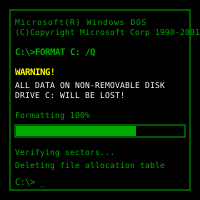
Explore and experience authentic recreations of classic operating systems and interfaces. Perfect for tech enthusiasts and nostalgic exploration.
Explore advanced web development techniques, creative coding patterns, and interactive visual effects for professional projects.
Follow these simple steps to get the most out of our interface simulations
Browse our collection of high-fidelity interface simulations and select one that matches your creative or educational needs. From classic OS designs to modern system interfaces, pick what fits your project.
Launch the simulation on the device where you need it. You can open it on your own device for review, or integrate it into your creative project, presentation, or educational material.
Experience the authentic visual effects and immersive interface. Explore the interactive elements and appreciate the high-fidelity recreation of classic or modern computing interfaces.
You can exit the simulation at any time by pressing ESC or F11. All simulations run entirely in your browser with no system interaction or device modifications.
If you record or share content featuring these simulations, do so responsibly. Always credit PranxWorld and disclose that these are visual simulations for educational or creative purposes.
Try different simulations! Each one offers unique visual effects and interface experiences. Mix and match to find the perfect simulation for your needs.